OUTBOUND
OUTBOUND FOR AGENCIES
Run many motions. Mix none of them.
OXO helps agencies operate several client motions from one system while keeping each market, audience, message logic, approval state and reply handoff distinguishable.
WHY THIS MOTION BREAKS
Agencies gain efficiency by sharing operators and systems. They lose trust when client context, claims, lists or replies blur across accounts.
Market definitions, proof and approval rules should not leak into another account.
Operators need one view of what is live, waiting, paused or failing.
Approval and handoff should be visible at the work item—not buried in updates.
HOW OXO RUNS IT
OXO keeps campaign ownership, audience logic, message controls, status and reply routing attached to the relevant motion.
- 01Create the context wall
Define the client, market, offer, evidence and owners for the motion.
- 02Build the audience
Keep company and contact selection inside that client brief.
- 03Run with approval
Show generation, review, live and paused states across the portfolio.
- 04Route by account
Keep replies, demos and next actions attached to the right client and owner.
THE PRODUCT, IN THE WORK
One context.
Three working views.
The screens below show how OXO keeps the agencies motion connected as accounts, messages and conversations move.
Separate the reason before scaling the work.
Campaigns retain their own channel mix, state, people count and update history inside one portfolio view.
01 / 03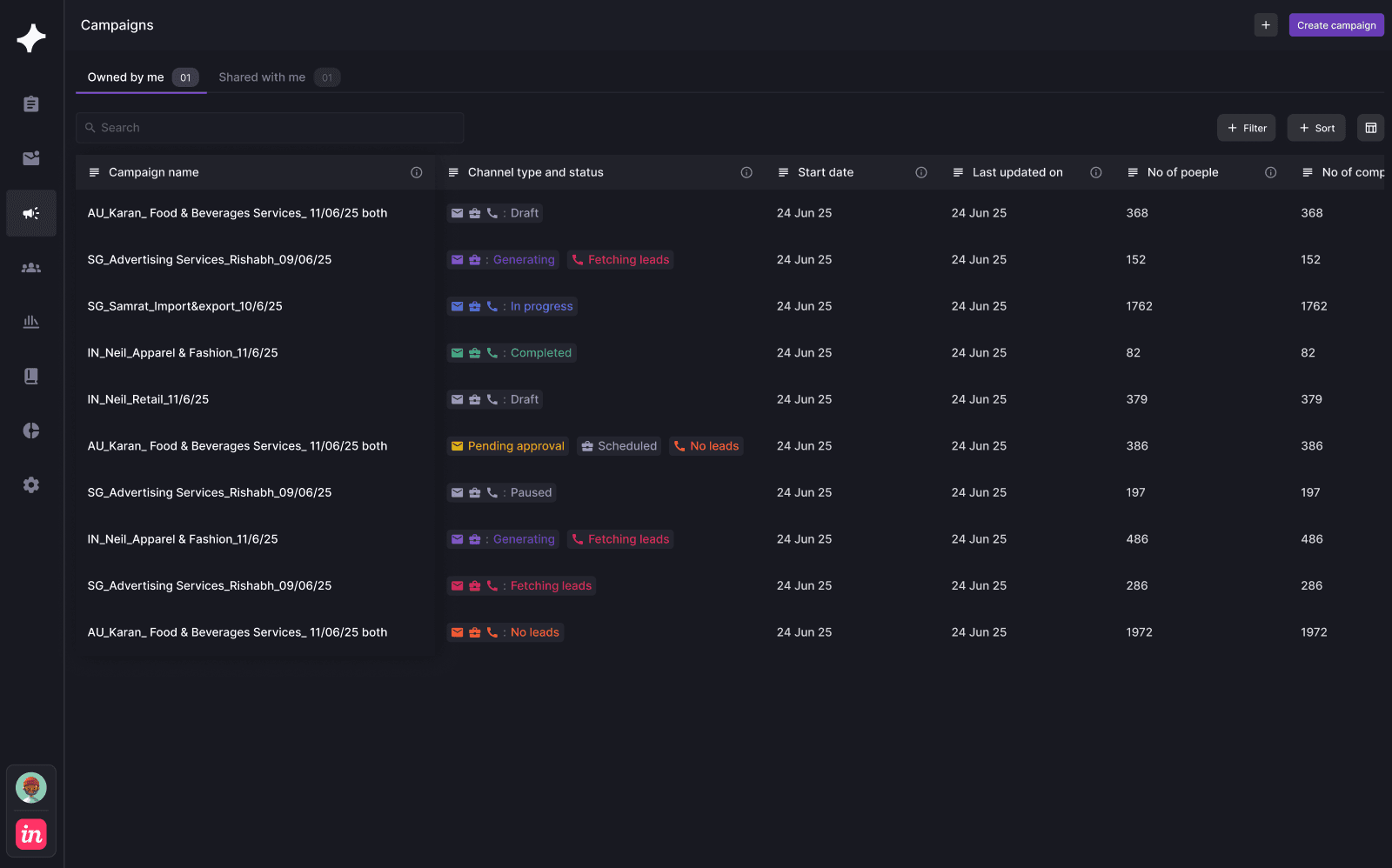
Make client review an operating state.
Lead, company, mail approval, status and playbook stay on the same row so review can be resolved precisely.
02 / 03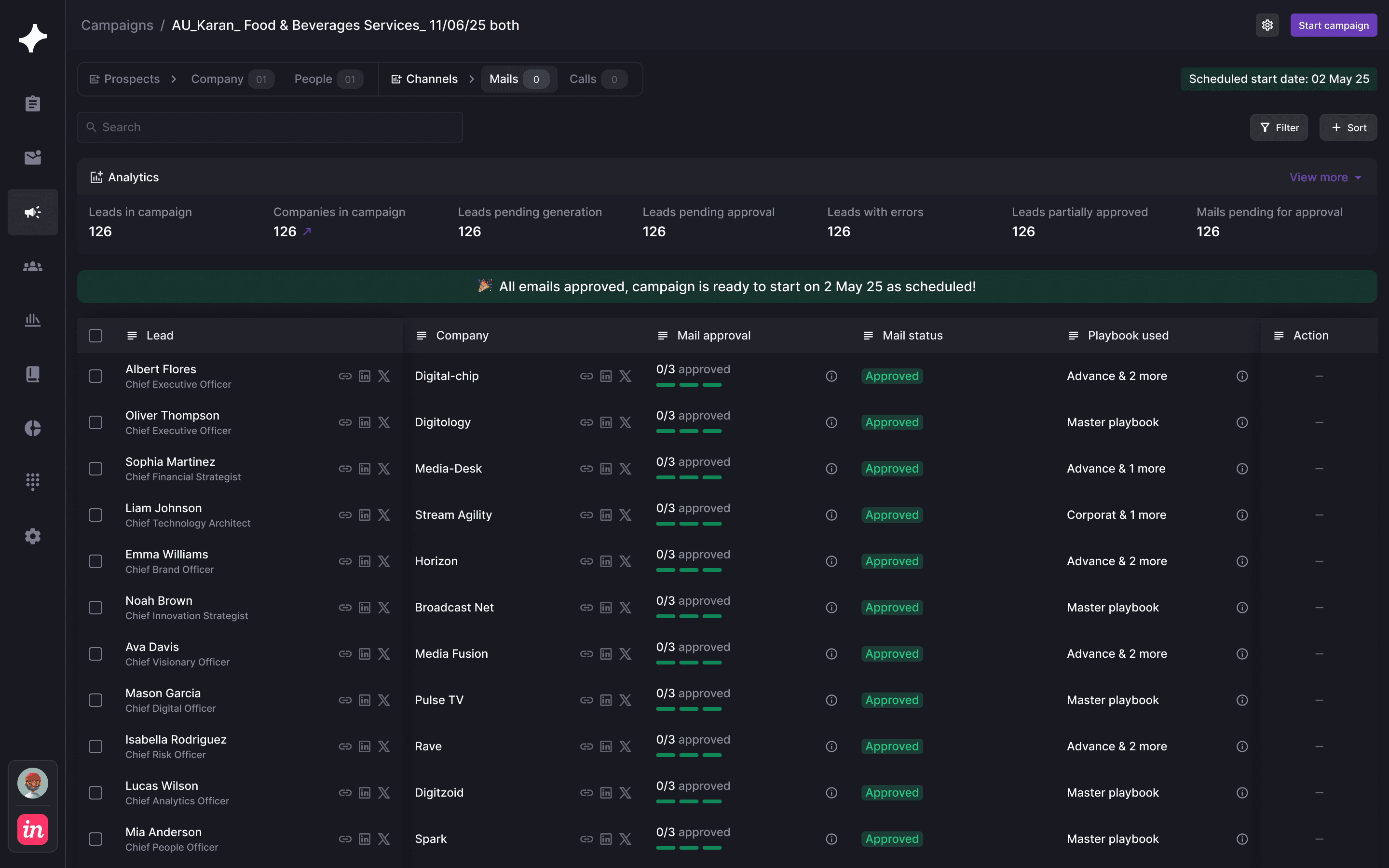
Return every conversation to the right account.
Reply type, campaign and timestamp remain visible as the agency triages conversations and hands them to the client.
03 / 03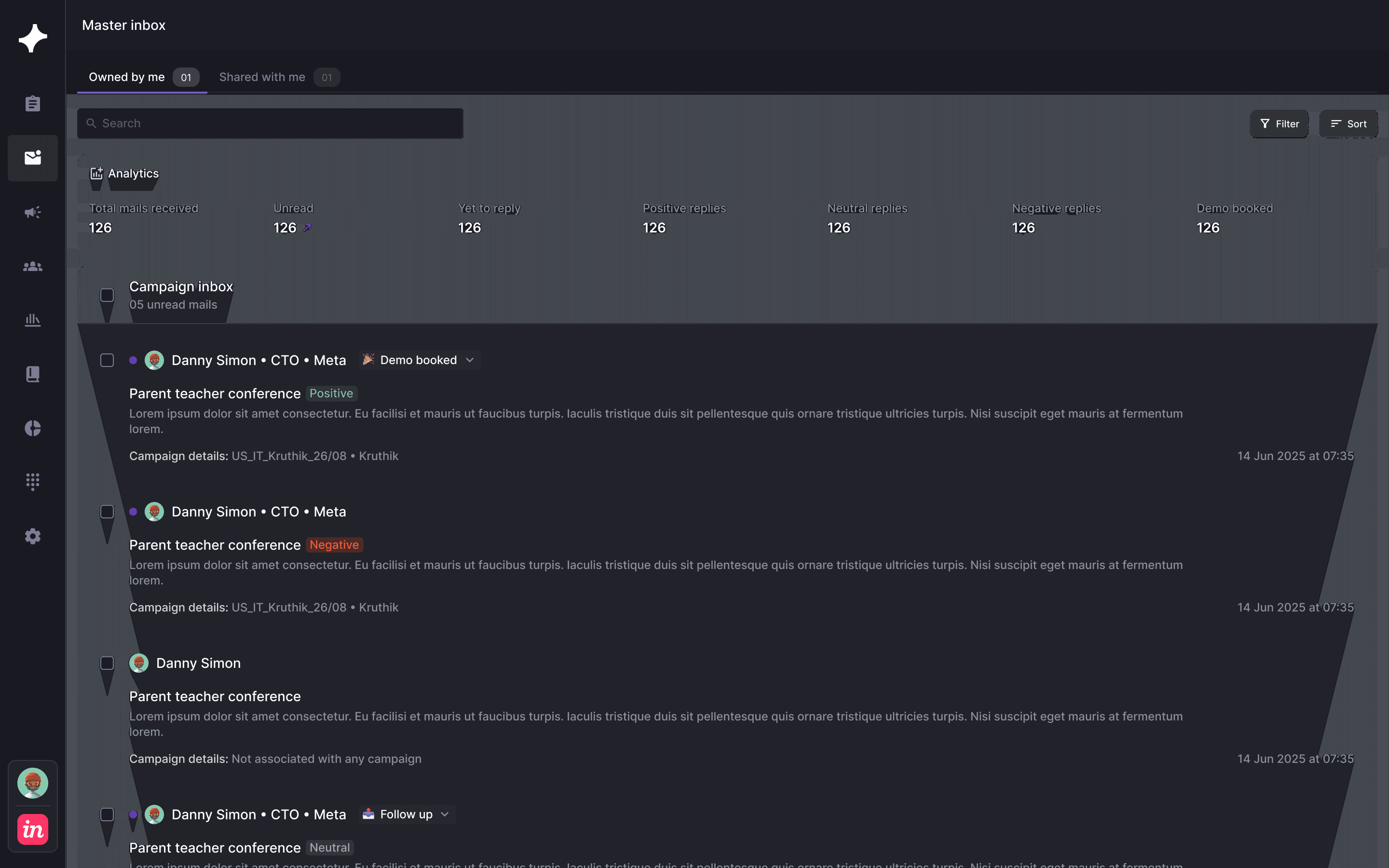
AUTONOMY WITH A BOUNDARY
OXO moves the work.
Your team keeps judgment.
Keep market, evidence, message and owner scoped to one account.
DEFINE →Set whether the agency or client reviews each stage.
REVIEW →Define the agency and client handoff before launch.
ROUTE →KEEP EXPLORING
The product workflows behind this page.
AGENCIES / QUESTIONS
What teams usually
ask next.
How does OXO support outbound agencies?+
OXO connects campaign portfolios, account and contact context, message controls, approvals, replies and handoffs in one operating system.
Can each client have different rules?+
Yes. The intended workflow keeps market definitions, messages, approvals and owners attached to the relevant client motion.
Can clients review work?+
The depicted approval workflow exposes campaign, lead, mail and playbook states so review can occur at the relevant item.
BUILD YOUR MOTION
Shared operations need hard context walls.
Bring the market, offer, buyer group and review rules. See how OXO would run the work around them.