OUTBOUND
OUTBOUND ANALYTICS
Don't report activity.
Operate the bottleneck.
OXO shows what is moving, waiting and failing at the same grain as the campaign and account. The page starts with the decision, not the chart.
FOUR DECISIONS
Each view should end
in an action.
What is waiting for approval or data?
Open queue →Where is the sequence losing movement?
Inspect exceptions →Which audience and playbook earn replies?
Compare motion →Which conversations need a person now?
Route replies →CAMPAIGN MATRIX
Read outcome beside
the mechanism.
Channel, audience, playbook and operating state stay attached. No export is required to understand why one motion differs from another.
AU FinanceLive14Scale
US SaaSWaiting8Approve
SG RetailPaused3Repair
UK AgenciesLive11Inspect
FROM ROLL-UP TO ROW
Start wide.
End at the work.
OXO keeps each aggregate connected to the campaign, lead or reply behind it. A manager can inspect the cause without exporting a second report.
Compare campaign state, channel mix and recent movement.
Open the exact approval, generation or reply queue creating the constraint.
Assign the lead, exception or conversation to a named owner.
INSIDE OXO ANALYTICS
Move from campaign status to the exact queue.
OXO Analytics keeps campaign state, approval queues and reply outcomes connected. A manager can move from a count to the records that are waiting, failing or producing conversations.
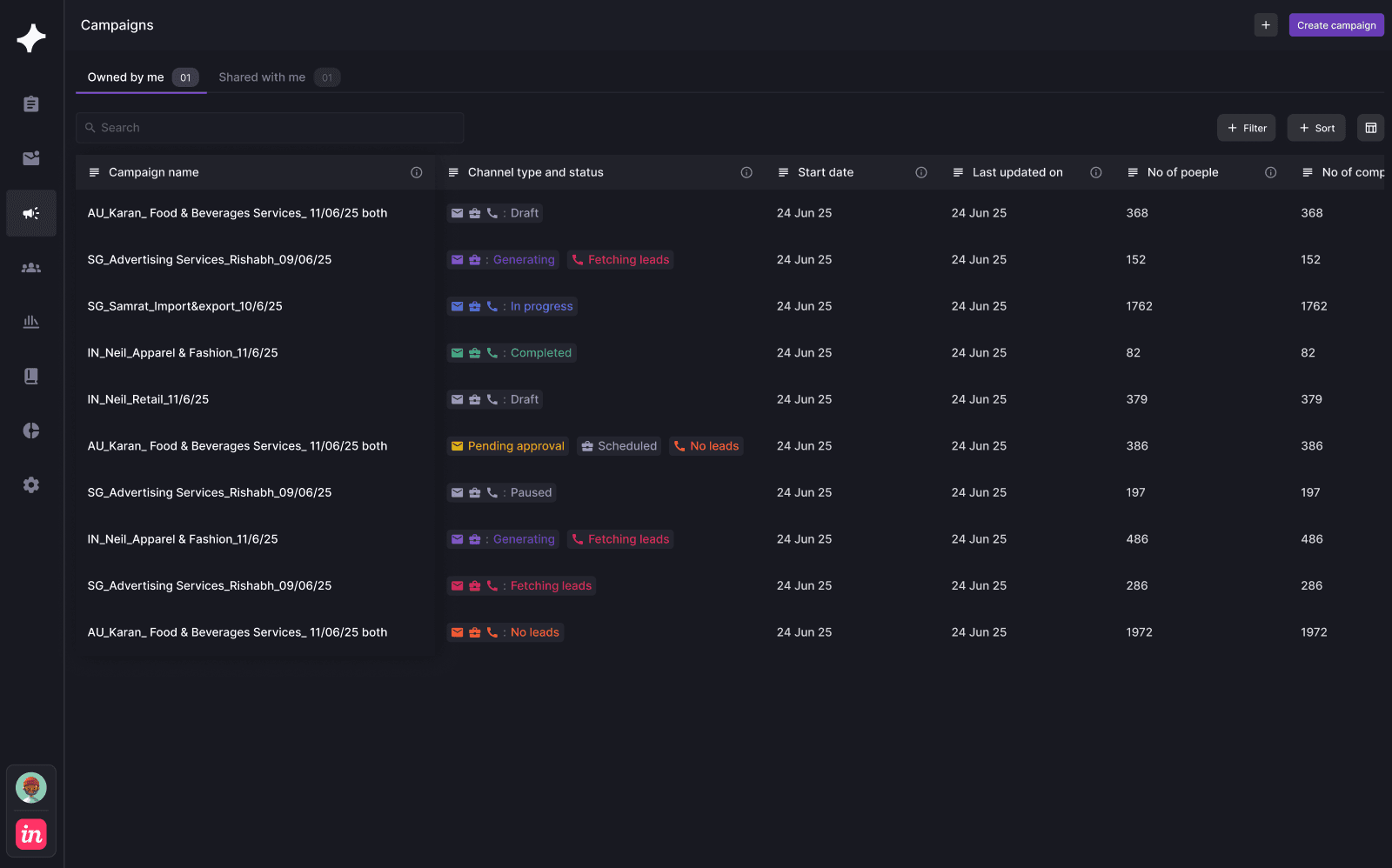
THE CAMPAIGN TABLE
Read channel, status and volume on one row.
Review draft, generating, live, paused and completed campaigns with their channel state, people count and latest update.
- Filter the portfolio by operating state
- Compare channel mix and campaign volume
- Open the exact motion behind a number
- Campaigns loaded
- States compared
- Queue identified
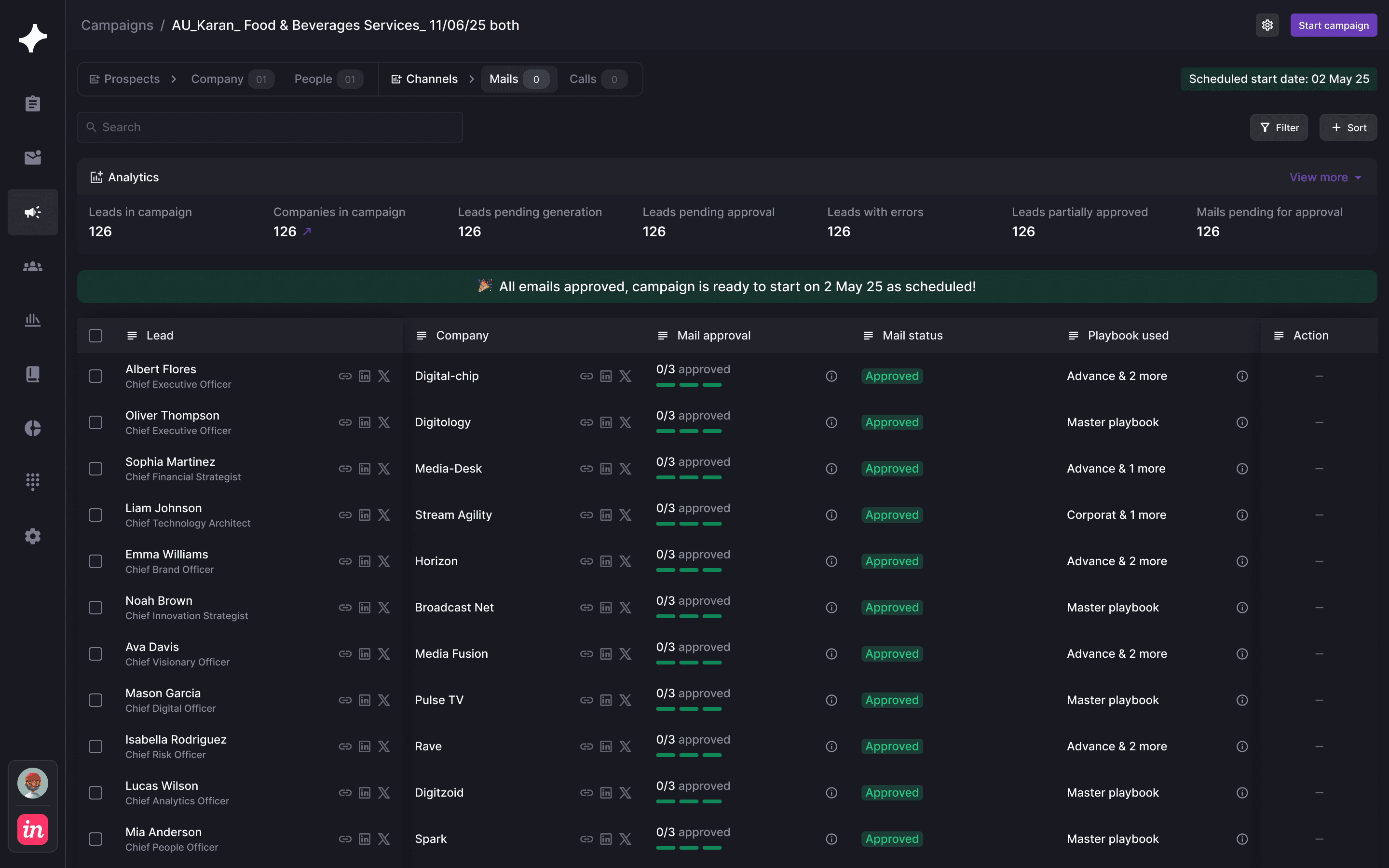
THE APPROVAL BOTTLENECK
Open the records behind an approval count.
Lead status, mail approval and playbook remain on the same row so a manager can see why a campaign is waiting and what must happen next.
- Inspect pending approvals by lead
- See mail status and playbook together
- Move from aggregate count to the affected records
- Count opened
- Records inspected
- Action clear
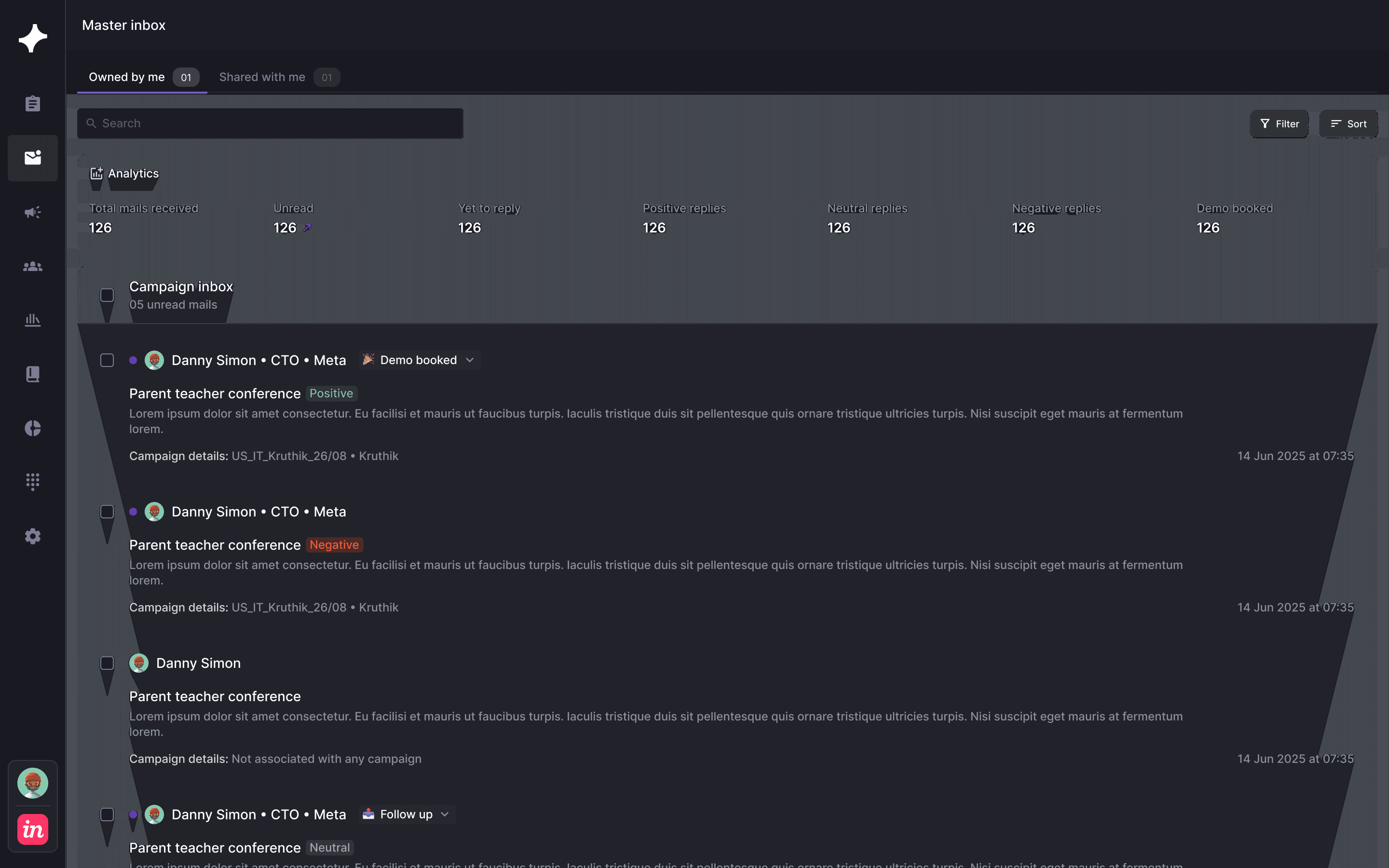
THE CONVERSATION OUTCOME
Read reply outcomes beside campaign activity.
The master inbox connects response volume and reply classification back to the campaigns that produced each conversation.
- Compare activity with actual replies
- Separate positive, neutral and negative intent
- See booked demos beside response workload
- Replies connected
- Intent classified
- Outcome visible
THE OPERATING VIEW